Turn Tables into JSON in Azure SQL Database
Most of the time our tooling turns tables into JSON for us. When we need to do it in the database, a few T-SQL functions can help. In this post, I will show you how they work.
Our tooling usually handles JSON for us
If our backend application uses Entity Framework Core, Azure SQL Database doesn’t need to return JSON. Our backend application already does the transformation from one result table into objects.
// Entity Framework Core
var orders = await db.Orders
    .OrderBy(o => o.SalesOrderID)
    .Select(o => new
    {
        OrderId = o.SalesOrderID,
        Info = new { Customer = o.Customer.CompanyName, o.TotalDue }
    })
    .ToListAsync();
The same is true for the Data API builder. In the BaseTSqlQueryBuilder (1), the method BuildJsonPath appends FOR JSON PATH, INCLUDE_NULL_VALUES to each query, which forces Azure SQL Database to return JSON directly instead of a plain result set.
// https://github.com/Azure/data-api-builder/blob/c7e6b5d58841749b5a75061ab91f4328c9c30b78/src/Core/Resolvers/BaseTSqlQueryBuilder.cs#L11-L28
[...]
protected const string FOR_JSON_SUFFIX = " FOR JSON PATH, INCLUDE_NULL_VALUES";
protected const string WITHOUT_ARRAY_WRAPPER_SUFFIX = "WITHOUT_ARRAY_WRAPPER";

/// <summary>
/// Build the Json Path query needed to append to the main query
/// </summary>
/// <param name="structure">Sql query structure to build query on</param>
/// <returns>SQL query with JSON PATH format</returns>
protected virtual string BuildJsonPath(SqlQueryStructure structure)
{
    string query = string.Empty;
    query += FOR_JSON_SUFFIX;
    if (!structure.IsListQuery)
    {
        query += "," + WITHOUT_ARRAY_WRAPPER_SUFFIX;
    }

    return query;
[...]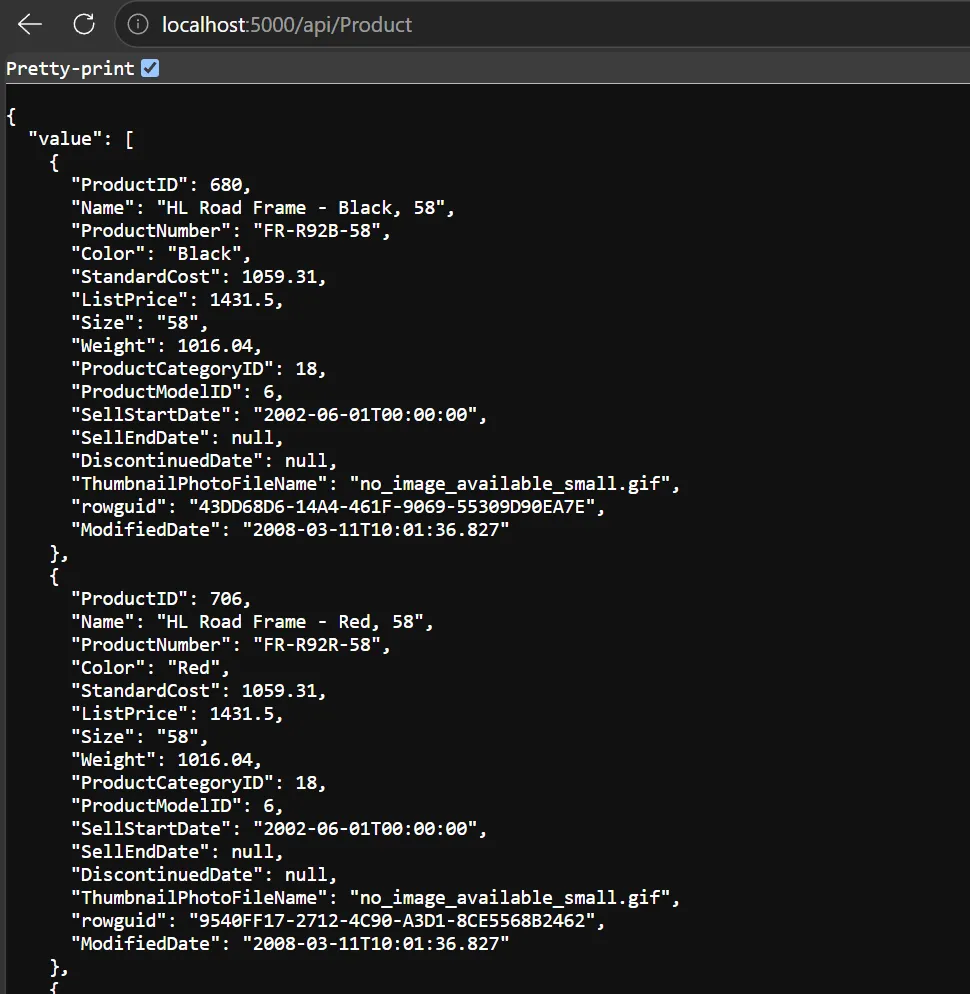
As you can see, our tooling often removes the need for us to think about how to transform tables into JSON. Entity Framework Core, as an ORM, does all the magic behind the scenes and the same is true for Data API builder.
If you need it, it really can come in handy
If our team, for example, prefers writing pass-through queries with Dapper, then applying the new JSON functions can save time and also make our code less error-prone.
// Dapper before SQL Server 2016: String concatenation
var orderJsonOldWay = await connection.QueryAsync<string>("""
    SELECT CONCAT('{"order_id":',                 h.SalesOrderID,
                  ',"info":{"customer":"',         STRING_ESCAPE(c.CompanyName, 'json'),
                  '","total_due":',                CONVERT(varchar(30), h.TotalDue, 2),
                  '}}')
    FROM SalesLT.SalesOrderHeader AS h
    JOIN SalesLT.Customer AS c ON c.CustomerID = h.CustomerID
    ORDER BY h.SalesOrderID
    """);
// Dapper since SQL Server 2016: FOR JSON PATH
var orderJsonForJson = await connection.QueryAsync<string>("""
    SELECT (SELECT h.SalesOrderID AS order_id,
                   c.CompanyName  AS [info.customer],
                   h.TotalDue     AS [info.total_due]
            FOR JSON PATH, WITHOUT_ARRAY_WRAPPER)
    FROM SalesLT.SalesOrderHeader AS h
    JOIN SalesLT.Customer AS c ON c.CustomerID = h.CustomerID
    ORDER BY h.SalesOrderID
    """);
// Dapper since SQL Server 2022: JSON_OBJECT
var orderJson = await connection.QueryAsync<string>("""
    SELECT JSON_OBJECT('order_id': h.SalesOrderID,
                       'info':     JSON_OBJECT('customer': c.CompanyName, 'total_due': h.TotalDue))
    FROM SalesLT.SalesOrderHeader AS h
    JOIN SalesLT.Customer AS c ON c.CustomerID = h.CustomerID
    ORDER BY h.SalesOrderID
    """);
Before SQL Server 2016, we had to write the serialization by hand and needed three helper functions: CONCAT, STRING_ESCAPE and CONVERT. Since SQL Server 2016, FOR JSON PATH can do it for us. But to get one JSON per row, we need a subquery, and nested objects come from dotted column aliases like [info.customer]. Now JSON_OBJECT does it in one call. It’s not just easier to write, it’s also much easier to read.
| Function / Clause | Example | Result |
|---|---|---|
FOR JSON PATH (2) | SELECT ProductID AS id, Name AS name, Size AS size FROM SalesLT.Product WHERE ProductID = 711 FOR JSON PATH | [{"id":711,"name":"Sport-100 Helmet, Blue"}] |
JSON_OBJECT (3) | SELECT JSON_OBJECT('id': ProductID, 'name': Name, 'size': Size) FROM SalesLT.Product WHERE ProductID = 711 | {"id":711,"name":"Sport-100 Helmet, Blue","size":null} |
JSON_ARRAY (4) | SELECT JSON_ARRAY(Color, Size) FROM SalesLT.Product WHERE ProductID = 711 | ["Blue"] |
JSON_OBJECTAGG (5) | SELECT JSON_OBJECTAGG(Name: Size) FROM SalesLT.Product WHERE ProductID IN (680, 711) | {"HL Road Frame - Black, 58":"58","Sport-100 Helmet, Blue":null} |
JSON_ARRAYAGG (6) | SELECT JSON_ARRAYAGG(Size ORDER BY ProductID) FROM SalesLT.Product WHERE ProductID IN (680, 711) | ["58"] |
The FOR JSON PATH clause, as you saw with the Data API builder, turns the whole query result into JSON. JSON_OBJECT and JSON_ARRAY both work at row level. As the names imply, JSON_OBJECT returns a row as an object and JSON_ARRAY as an array. The aggregate functions JSON_OBJECTAGG and JSON_ARRAYAGG transform multiple rows into one result item. The tricky part is the default NULL handling. On the one hand, JSON_OBJECT and JSON_OBJECTAGG keep NULL as null by default. On the other hand, FOR JSON PATH, JSON_ARRAY and JSON_ARRAYAGG get rid of NULL values altogether.
Summary
The days of manually serializing data in T-SQL have been over since SQL Server 2016. The addition of the new JSON functions simplified the transformation of our data even more. Nevertheless, most of the time, our tooling already transforms our data into JSON with ease. So we don’t need to use T-SQL for it very often, but if we need it, we now have a very convenient way to do so.
References
Azure/data-api-builder BaseTSqlQueryBuilder.cs - GitHub (1)
Format query results as JSON with FOR JSON - Microsoft Learn (2)
JSON_OBJECT (Transact-SQL) - Microsoft Learn (3)
JSON_ARRAY (Transact-SQL) - Microsoft Learn (4)